The voice becomes its own track
Instead of cancelling out the centre of the mix, Stem Split separates the vocal, so muting it removes it.
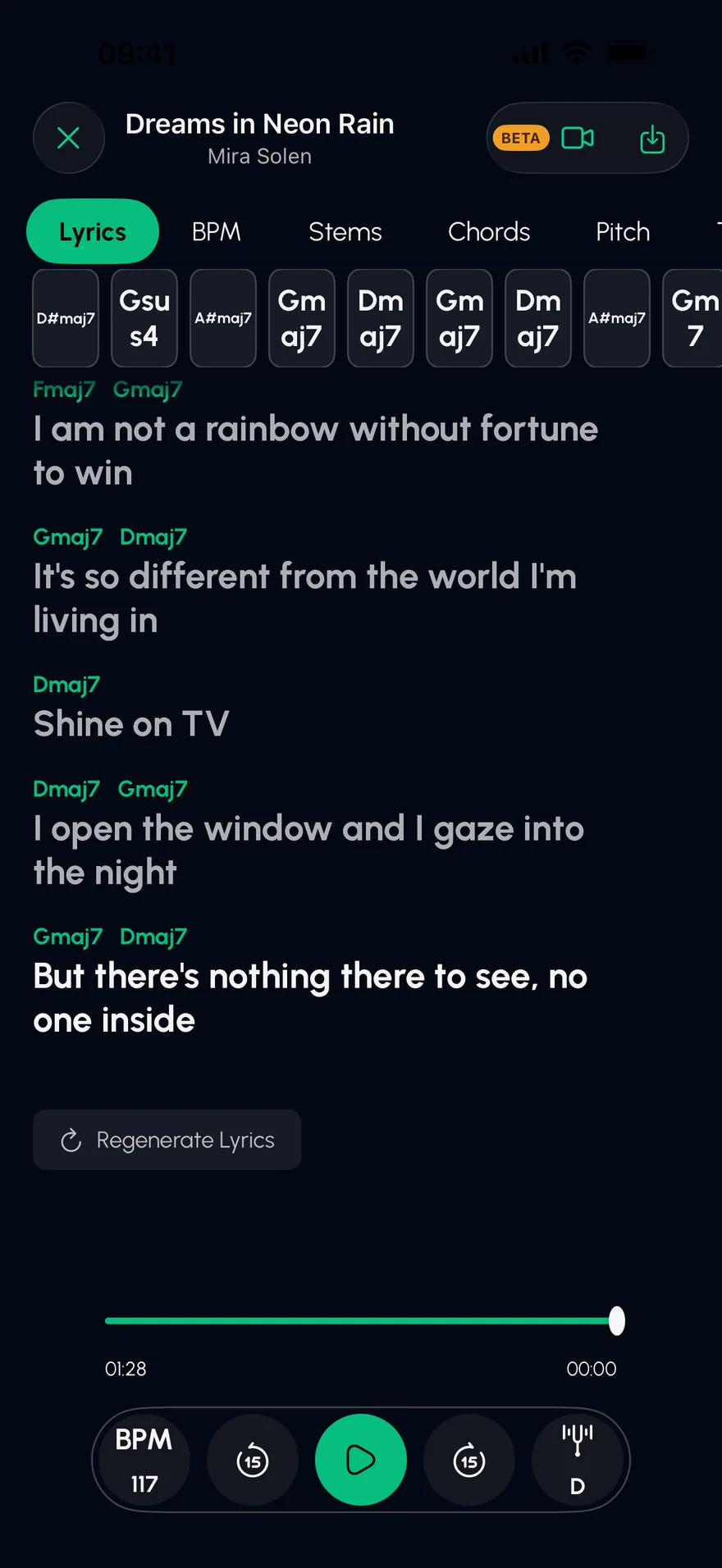
Stem Split takes the singer out and leaves the band in. Then it puts the lyrics on screen, line by line, so the song is yours to sing.
Press play: the vocal stem is already muted. Unmute it to hear what you just removed.
An original demo track, played live in your browser. In the app, you split your own songs.
From Files, your music library, a video in your camera roll, or a direct link.
AI separates the vocal from the instruments. Your stems are ready in seconds.
The lyrics scroll with the music. Change the key to suit your voice.
Instead of cancelling out the centre of the mix, Stem Split separates the vocal, so muting it removes it.
Synced lyrics, with each chord sitting above the word it lands on.
Shift the key or slow the song down, independently, without wrecking the sound.
Sing over the band in the Studio, with your take lined up to the beat.
From any audio file you own or have the right to use: files, your music library, videos in your camera roll, or a direct link to an audio file. Songs from streaming services like Spotify, Apple Music and YouTube can't be imported.
Most recordings separate cleanly. Results depend on the mix: vocals drenched in reverb or doubled with instruments can leave faint traces behind.
Yes. Export the audio mix as you hear it, or export every separated track as its own file.
Extract a clean acapella from any song on iPhone or iPad. AI separates the vocal from the beat so you can study it, practise harmonies or take it to your DAW.
Open →Slow down any song without changing its pitch, or change the key without changing the tempo. Practise at your own speed on iPhone and iPad, with a metronome.
Open →Find the chords of any song on iPhone or iPad. Stem Split works out the progression, shows a guitar shape for every chord and lines them up with the lyrics.
Open →Free on the App Store for iPhone and iPad.