Every note, audible
No kick drum or low piano masking the line.
The bass is the hardest part to hear in a finished mix. Stem Split puts it on its own track, so every note and every ghost note is right there.
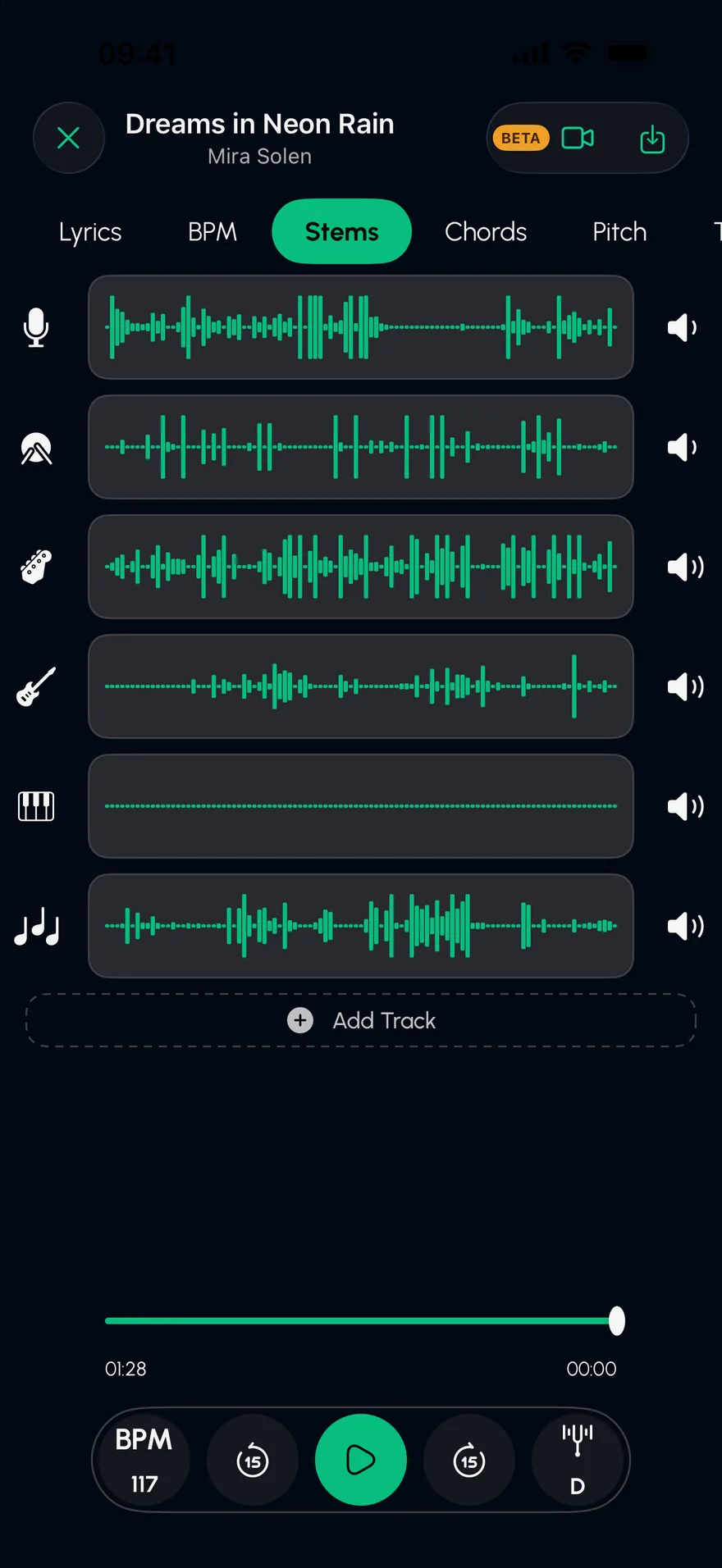
Press play to hear the bass line alone. On laptop speakers, headphones help: the bass lives low.
An original demo track, played live in your browser. In the app, you split your own songs.
Any audio file you own, from Files, your library or a video.
Stem Split separates six stems; tap S on the bass.
Turn the bass off and you have the band to play over, drums locked in.
No kick drum or low piano masking the line.
Change the tempo without changing the pitch, and add a metronome.
Solo bass and drums together to hear the pocket.
See the progression, so you know where the line is going.
Yes. Mute the bass stem and play along with everything else.
Bass parts, played or programmed, generally land on the bass stem. Some synth basses share frequencies with other synths and may split between stems.
Yes. Export the separated tracks and the bass comes out as its own audio file.
Isolate the drums in any song to learn the part, or remove them to make a drumless track to play along with. AI stem separation on iPhone and iPad.
Open →Isolate the guitar in any song on iPhone or iPad. Solo the guitar stem, slow it down without changing the pitch, and see the chord shapes as they go by.
Open →Slow down any song without changing its pitch, or change the key without changing the tempo. Practise at your own speed on iPhone and iPad, with a metronome.
Open →Free on the App Store for iPhone and iPad.