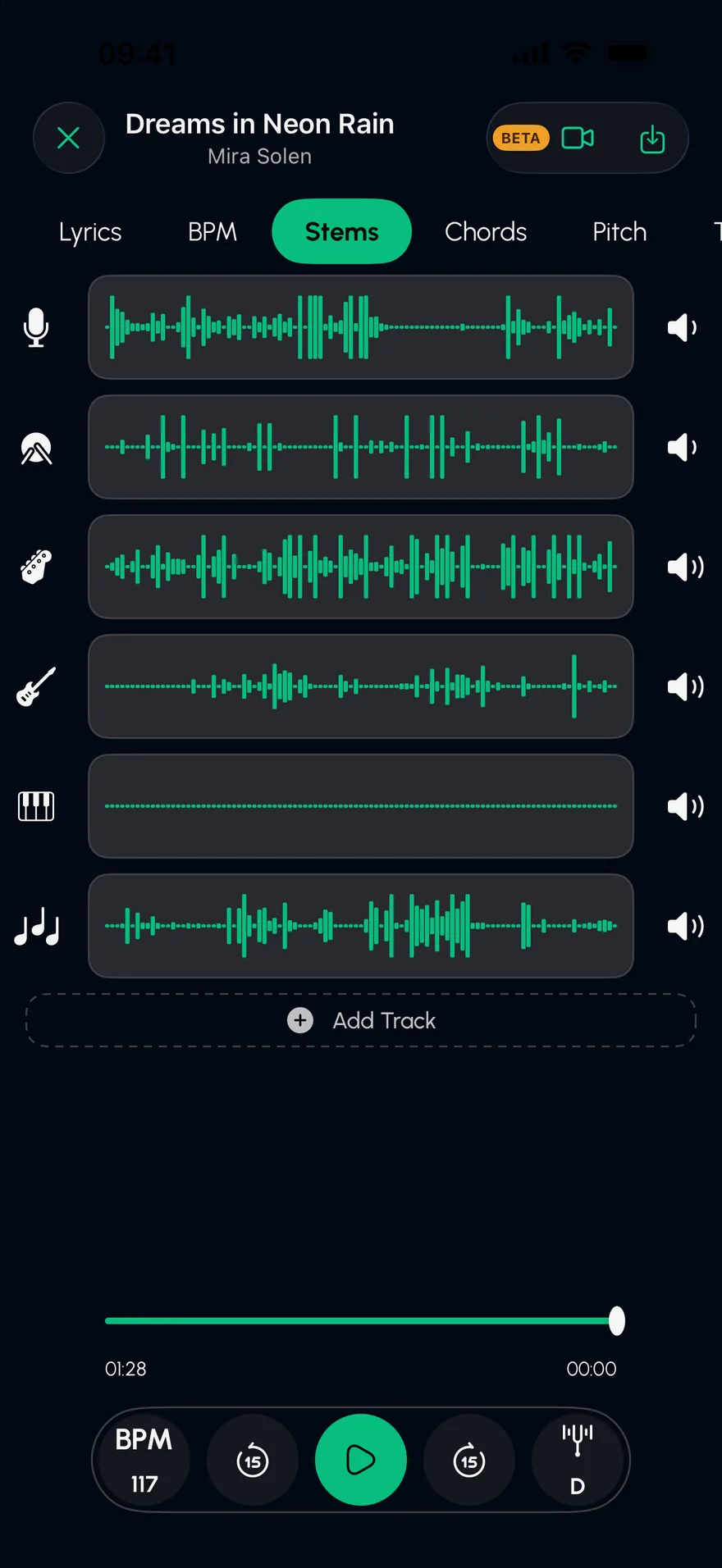
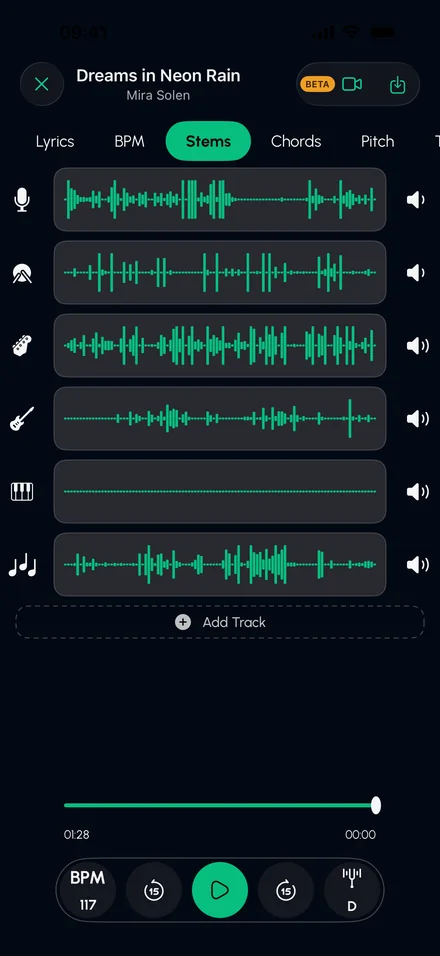
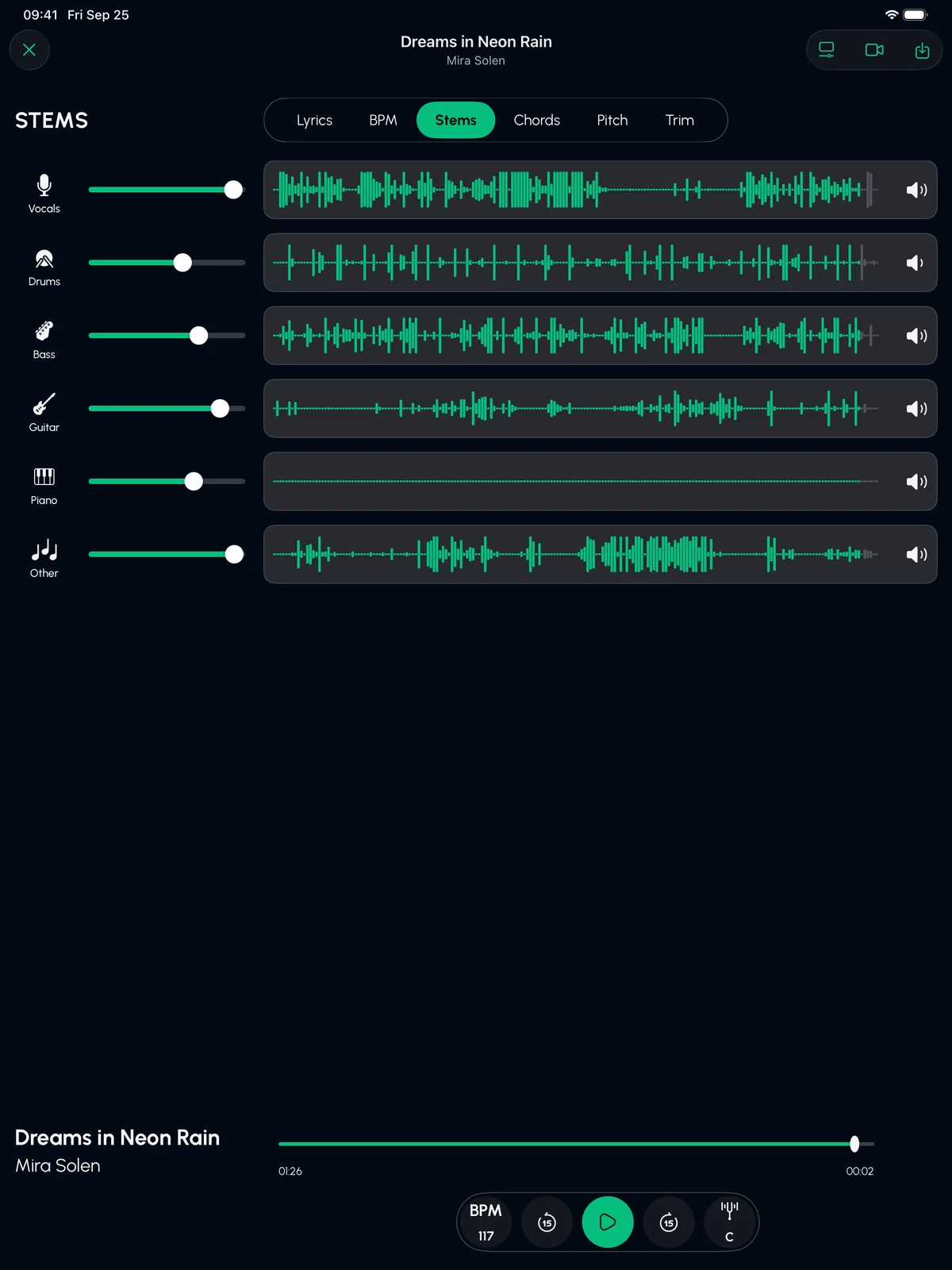
One song goes in, six stems come out. Mute or solo any of them. This is how every song feels in Stem Split.
Dreams in Neon RainMira Solen · demo track
BPM 117Key D minor
Full mix
6 stems inside
Vocals
Drums
Bass
Guitar
Keys
Other
An original demo track, played live in your browser. In the app, you split your own songs.
6stems from every song
4.5★from 1,300+ App Store ratings
8audio formats in
7DAWs your stems open in
Everything inside
More than a vocal remover.
01 — STEMS
Split any song into 6 stems.
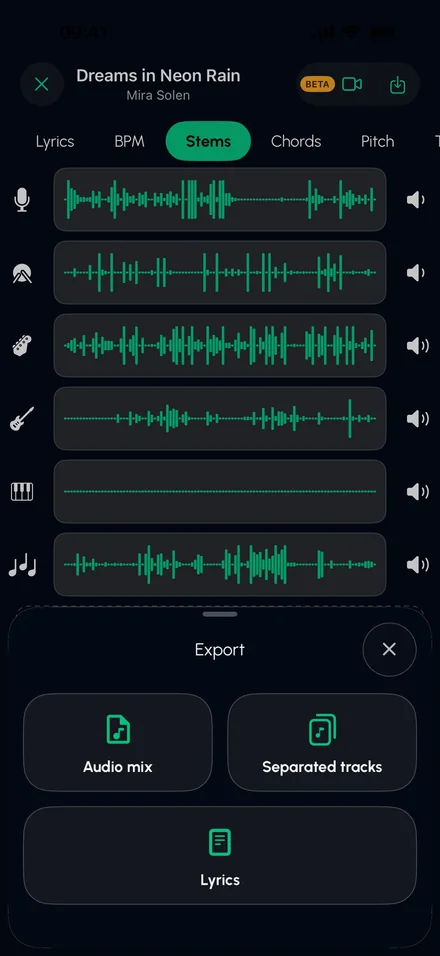
Vocals, drums, bass, guitar, piano and the rest, each on its own track. Mute or solo any of them. Advanced Split even gives organ, electric piano and synths their own stems.
Remove vocals for instant karaoke
Pull a clean acapella
Drop out your instrument and play its part
02 — CHORDS
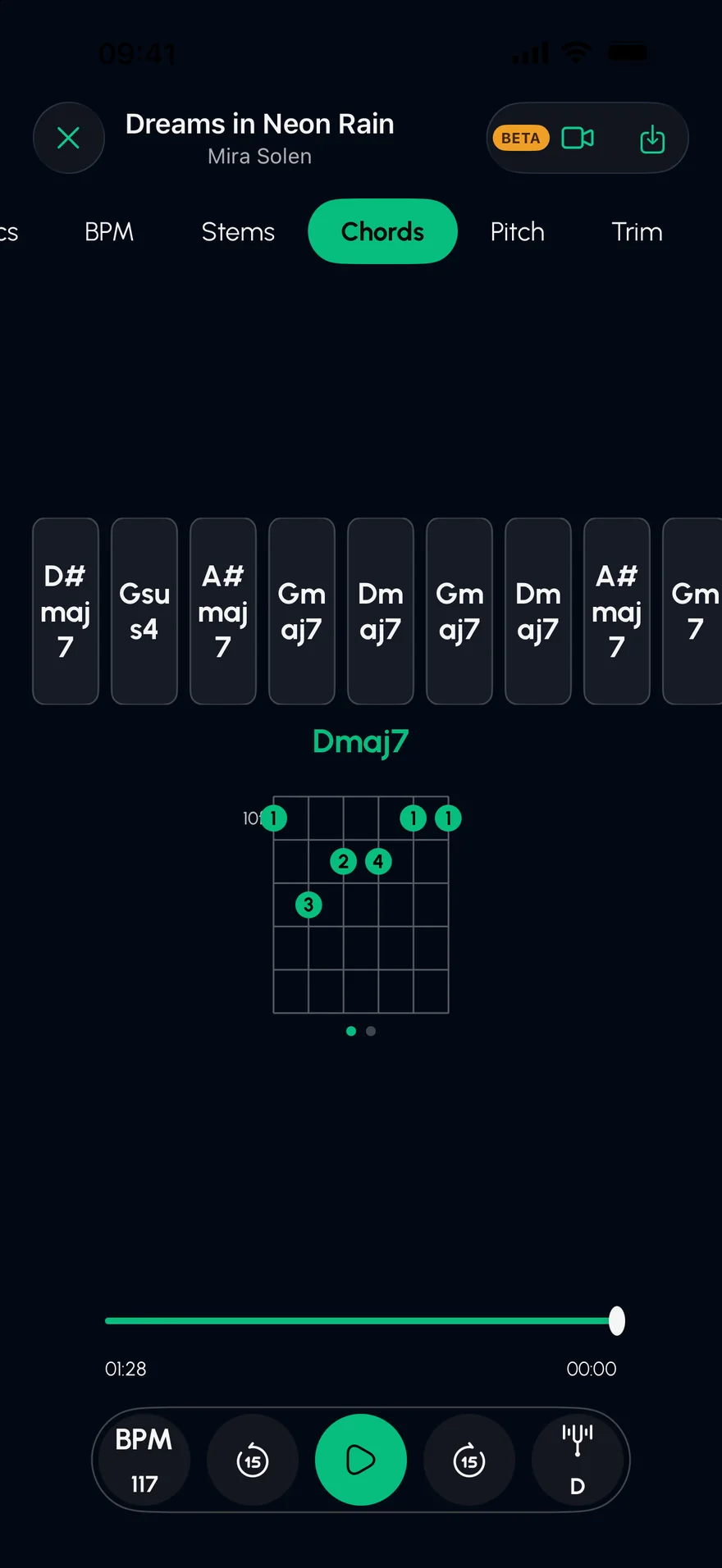
Every chord, worked out for you.
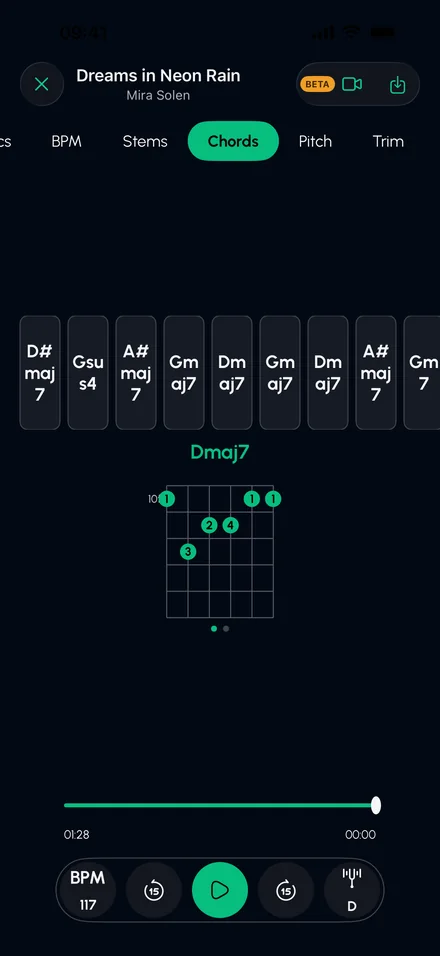
See the whole progression as the song plays, with a guitar shape for every chord. No more guessing from YouTube tabs.
03 — LYRICS
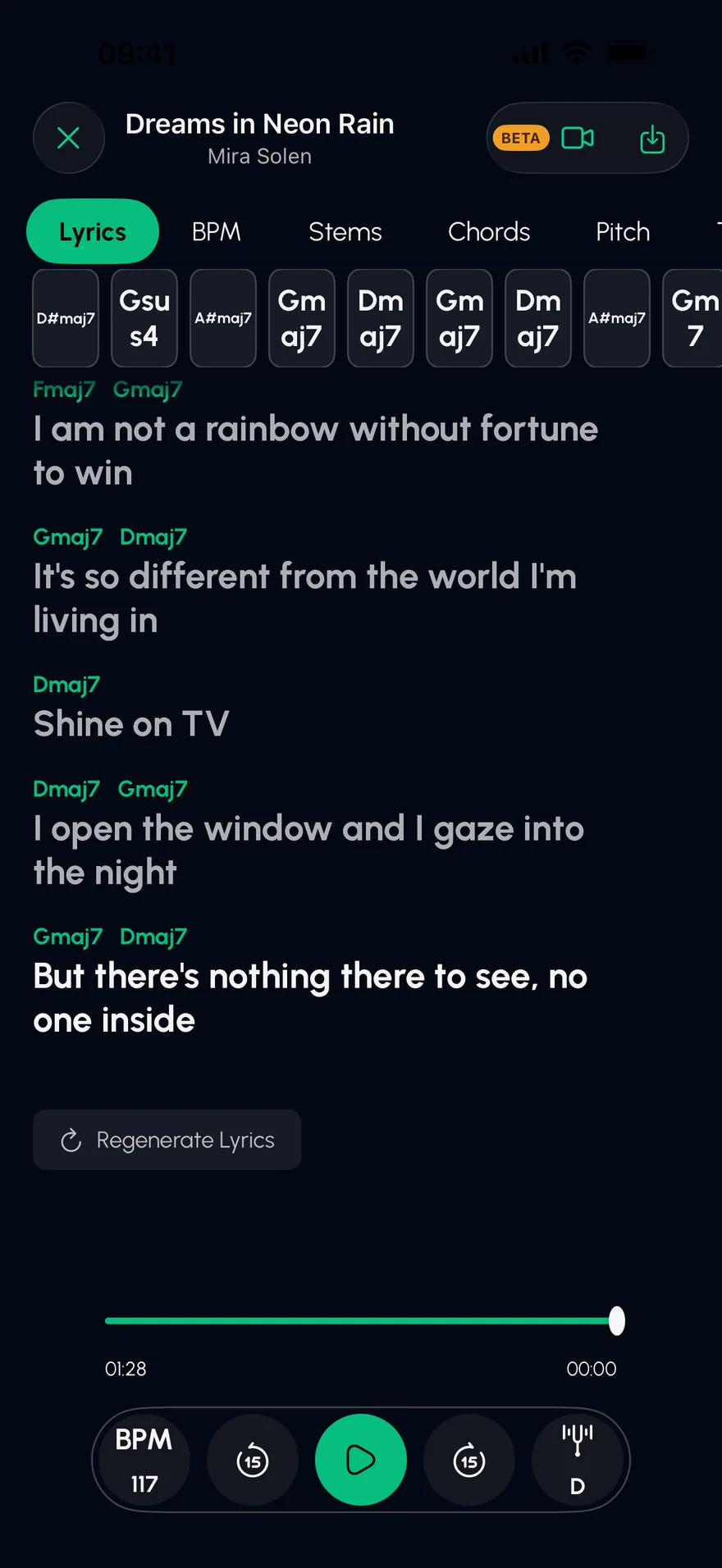
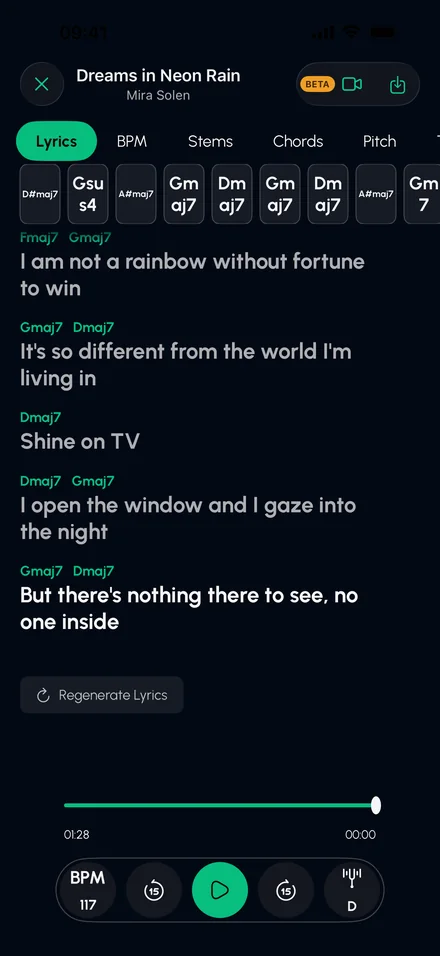
Lyrics, lined up with the chords.
Follow the song line by line while it plays, with each chord sitting above the word it lands on.
04 — TEMPO & KEY
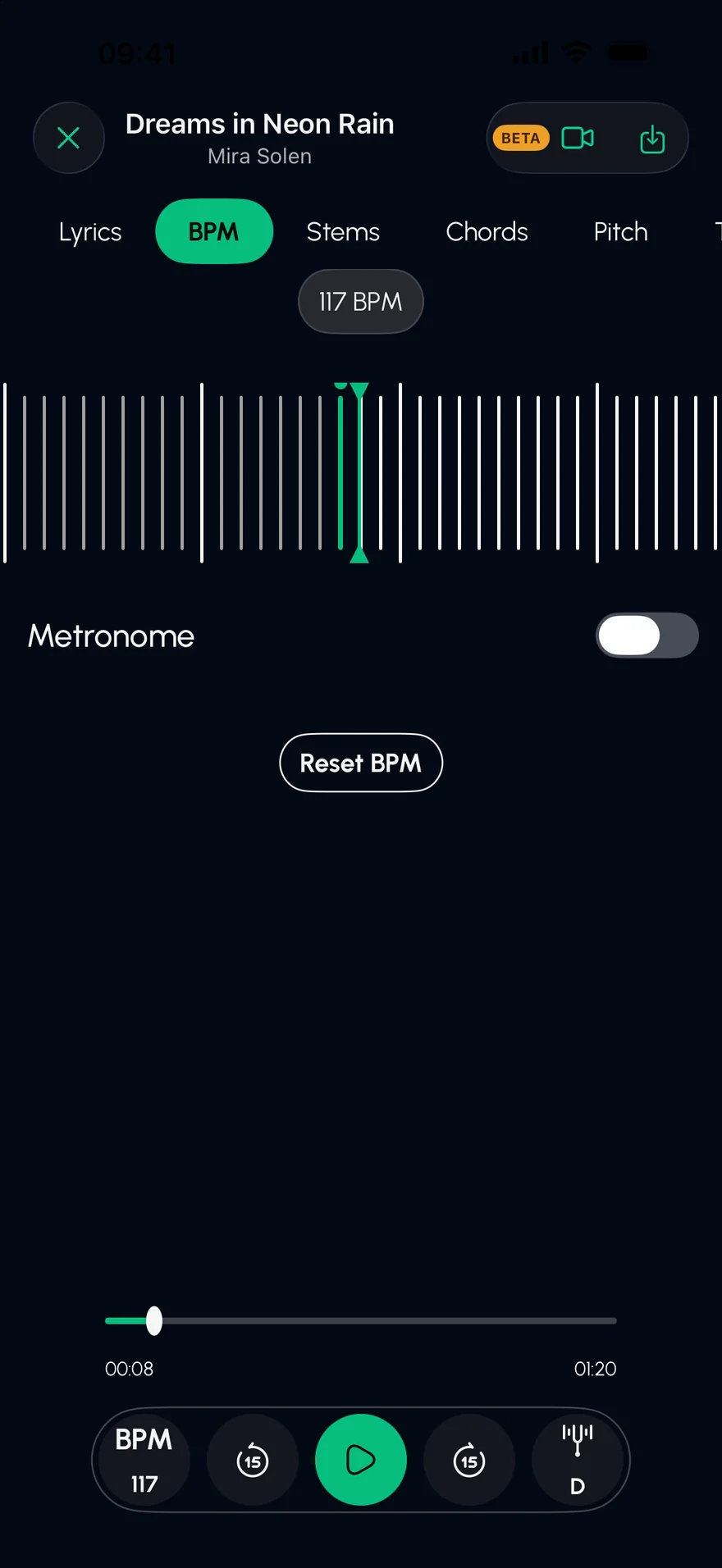
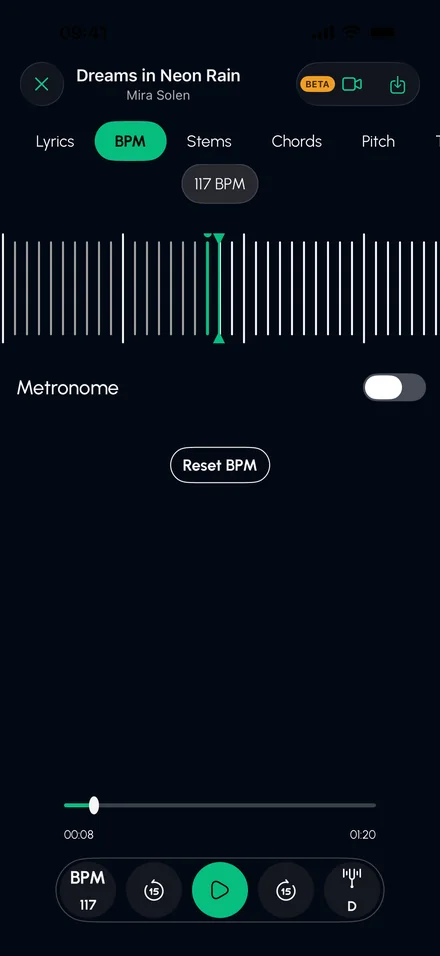
Slow it down. Add a click.
Detect the BPM, change the tempo and shift the key without wrecking the sound. Turn on the metronome and practise until it's yours.
05 — EXPORT
Take it to your DAW.
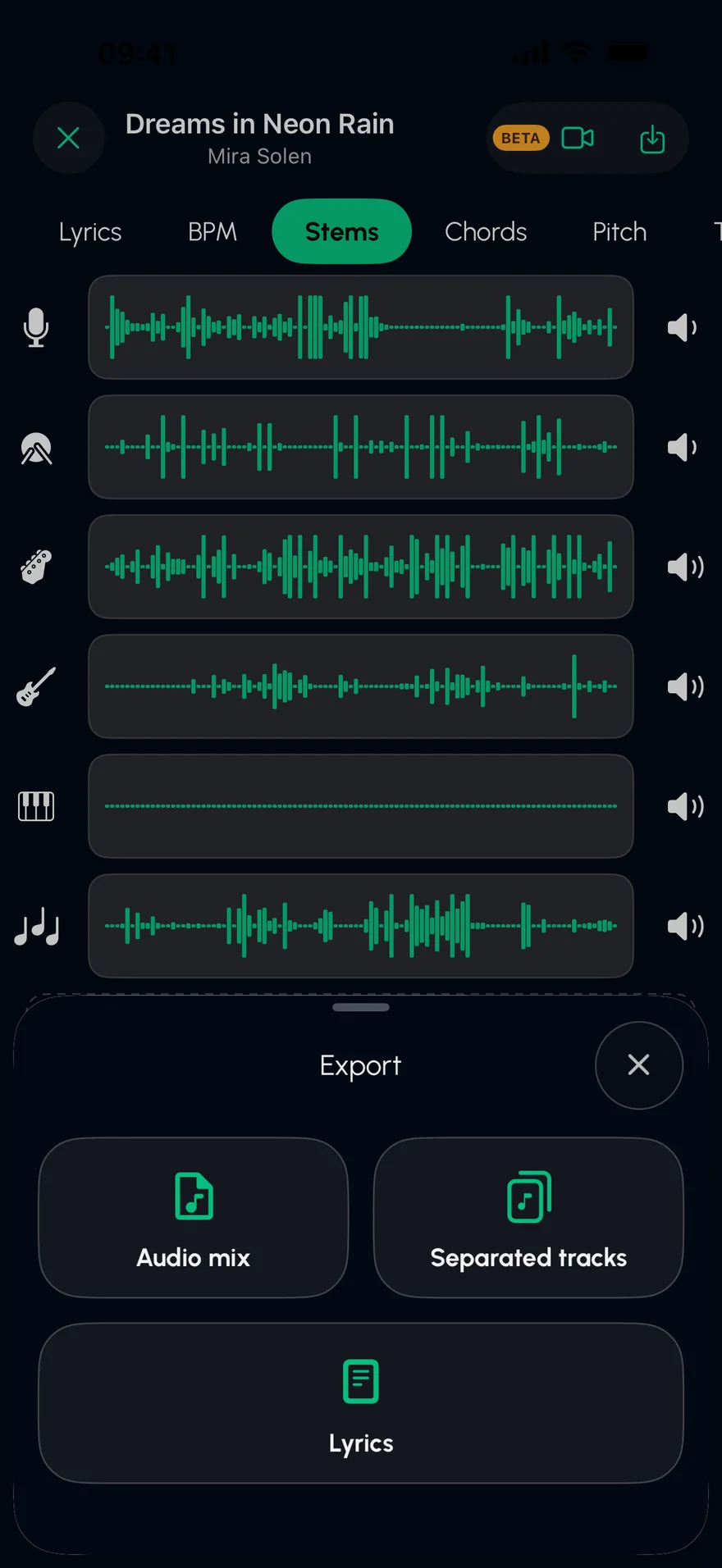
Export the mix, every stem, or the lyrics. DAW export gives you aligned WAV stems with tempo and chords, session files for Reaper, Cubase, Studio One and Bitwig, and a MIDI tempo map for Pro Tools, Logic and Ableton.
06 — IMPORT
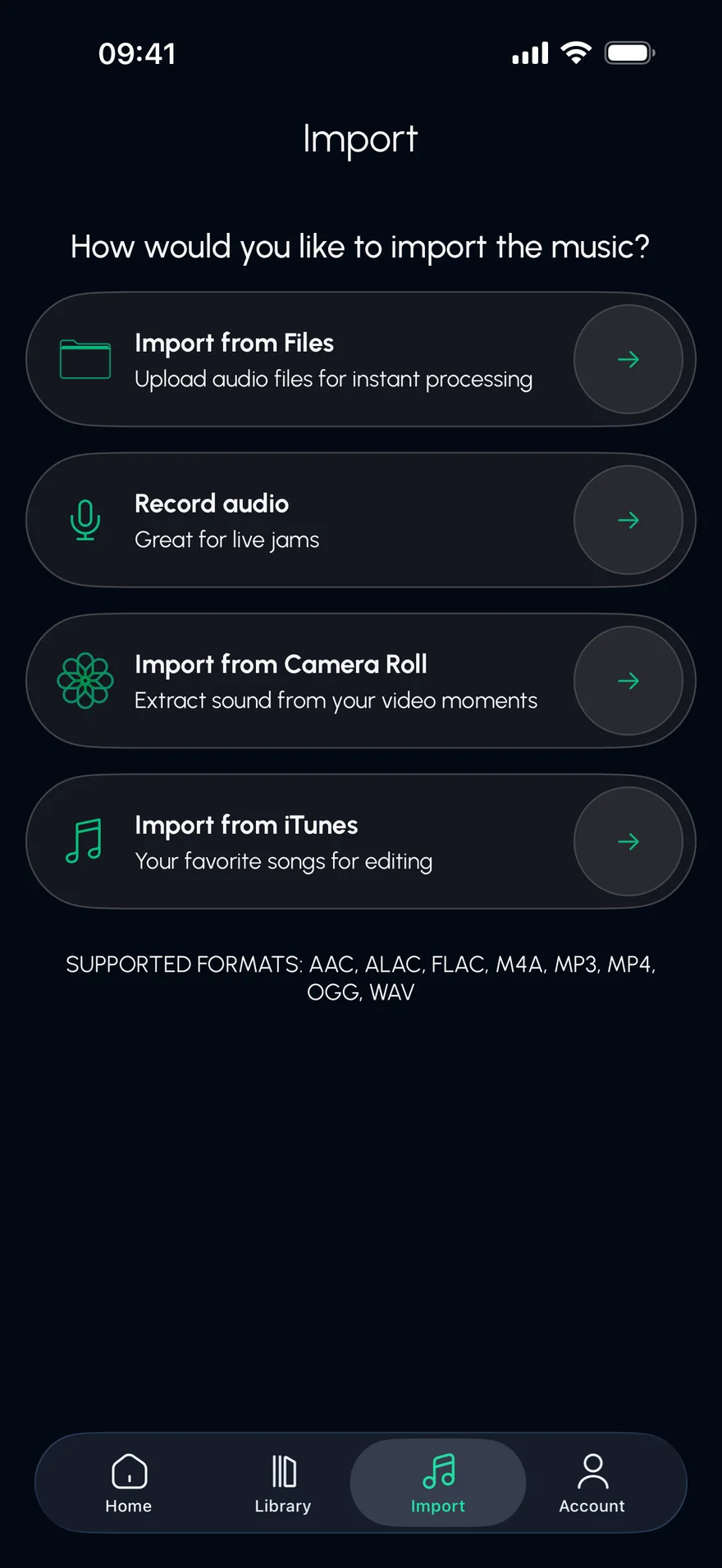
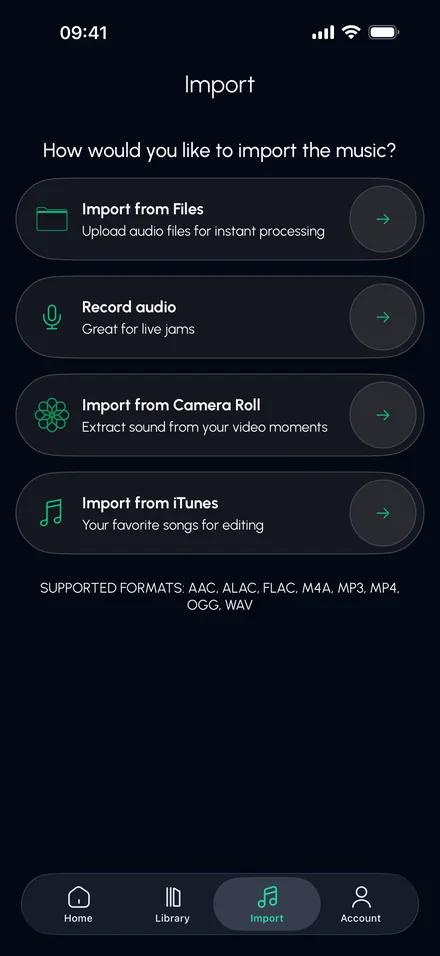
Bring music in from anywhere.
Files, your iTunes library, the sound from a video in your camera roll, a direct link, or record a jam straight into the app.

The Studio
Now it's your turn.
Mute the part you play and record yourself over the band, lined up to the beat.
Record over any songYour take lands where you played it, with headphone delay taken out.
See the beatBeats and bars are drawn down the timeline, so you can line things up by eye.
Solo and mute every trackHear one part on its own, or everything except you.
REC
12345678
Drums
Bass
Keys
Your take
Click
Built for musicians
Whatever you play.
Built for musicians who take their craft seriously, and for anyone who just wants to sing along.
Singers
Pull the vocal out to study phrasing, pitch and runs. Or take it away and sing over the band.
Solo · Vocals
Guitarists
Isolate the guitar, slow it down and learn every riff note for note, with the chord shapes on screen.
Solo · Guitar
Bassists
Lock in with the original groove, then drop the bass out and take its place.
Mute · Bass
Drummers
Strip a song down to the kit to learn the part, then kill the drums and play along.
Mute · Drums
DJs & producers
Clean acapellas and instrumentals for edits, mashups and live sets, exported straight into your DAW.
Export · WAV stems
Karaoke night
Any song without the singer, and the lyrics right there on screen, line by line.
Mute · Vocals
How it works
Three taps.
Import a song
From Files, your library, a video or a link. Or record it right in the app.
Tap Split
Our AI separates every instrument. Your stems are ready in seconds.
Make it yours
Play, mute, solo, slow it down, record over it, or export every track.
MP3WAVM4AAACALACFLACOGGMP4
FAQ
Good questions.
What does Stem Split do?
It uses AI to separate a song into its parts: vocals, drums, bass, guitar, piano and everything else. You can then mute or solo any part, remove the vocals for karaoke, see the chords and lyrics, change the tempo and key, record yourself over the band, and export the stems.
Is it free?
Stem Split is free to download and try. Full access is part of Stem Split Pro, which you can get inside the app as a subscription or a one-time purchase.
Which songs can I use?
Any audio you own or have the rights to use: files (MP3, WAV, M4A, AAC, ALAC, FLAC, OGG, MP4), your iTunes library, the sound from videos in your camera roll, a direct link to an audio file, or a recording made in the app. Songs from streaming services like Spotify, Apple Music and YouTube can't be imported.
Can I use the stems in my DAW?
Yes. Export each stem on its own, or choose DAW export for aligned WAV stems with tempo and chords, plus session files that open in Reaper, Cubase, Studio One and Bitwig, and a MIDI tempo map for Pro Tools, Logic and Ableton.
What happens to my audio?
Songs you split are uploaded over an encrypted connection to our servers, which separate them and send the stems back to you. We use your audio only to provide the service and never sell it. The details are in our Privacy Policy.
How do I cancel my subscription?
If you subscribed in the app, open Settings → your name → Subscriptions on your iPhone or iPad and choose Stem Split. If you subscribed on our website, use Manage web subscription.