Guitar shapes included
A diagram for every chord, with alternative voicings.
Import a song and Stem Split works out the chord progression, with a guitar shape for each chord and the chords sitting above the lyrics.
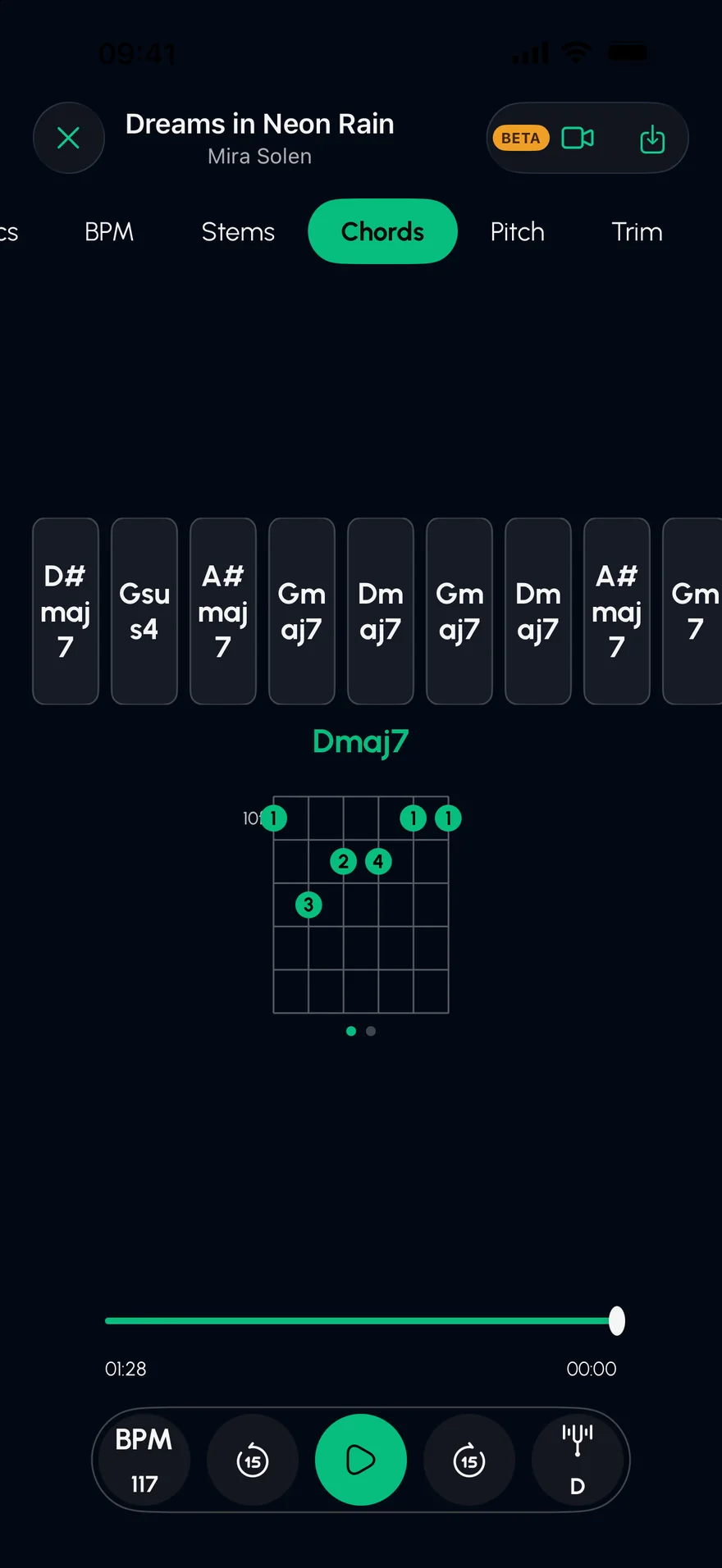
Press play: the guitar and keys are playing on their own, which is where the chords live. In the app, their names appear as they go by.
An original demo track, played live in your browser. In the app, you split your own songs.
Any audio file you own, from Files, your library or a video.
The full progression, with the current chord highlighted as the song plays.
Follow the guitar shapes, or read the chords above the lyrics.
A diagram for every chord, with alternative voicings.
Each chord sits above the word it lands on.
Solo the guitar and keys to check a chord by ear.
The key and BPM are detected too, and both can be changed.
It gets the progression of most pop, rock and folk songs right. Dense jazz harmony and fast changes can come out simplified, so treat it as a strong first draft and check by ear.
Chords are shown by name, with guitar diagrams. The names work for any instrument.
You can change the song's key, and play along in the new key.
Isolate the guitar in any song on iPhone or iPad. Solo the guitar stem, slow it down without changing the pitch, and see the chord shapes as they go by.
Open →Turn any song into a karaoke track on iPhone or iPad. Stem Split removes the vocals with AI, keeps the band, and shows the lyrics line by line.
Open →Slow down any song without changing its pitch, or change the key without changing the tempo. Practise at your own speed on iPhone and iPad, with a metronome.
Open →Free on the App Store for iPhone and iPad.